Taskbar
noun
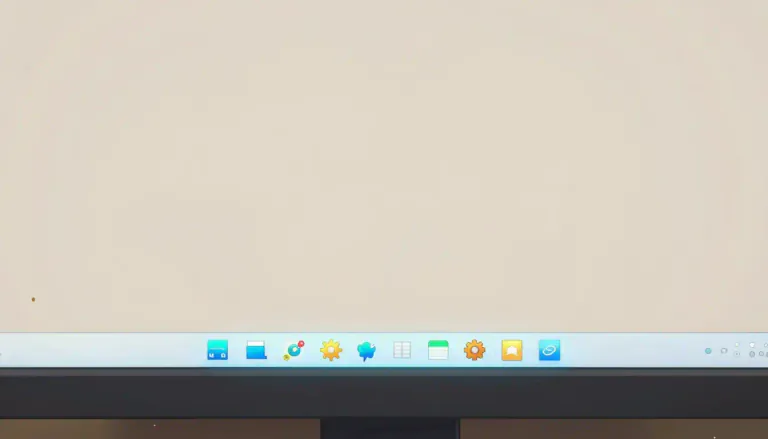
A taskbar is a horizontal or vertical bar at the edge of a display screen that shows which programs are currently running.
You can find the settings icon in the taskbar at the bottom of the screen.
Often appears as...
- Windows taskbar
- access taskbar
Usage tips
Neutral
General
noun
A taskbar is a horizontal or vertical bar at the edge of a display screen that shows which programs are currently running.
You can find the settings icon in the taskbar at the bottom of the screen.
Often appears as...
- Windows taskbar
- access taskbar
Usage tips
Neutral
General
Definition 1 of 1
 Pro Tip 1/3
Contextual Placement
When discussing a computer interface, use 'taskbar' to specify the area of the screen effectively.
Look at the bottom of your monitor to refer to the taskbar.
Pro Tip 2/3Task Management
In the context of managing applications, the taskbar allows users to present and switch tasks seamlessly.
Using the taskbar, you can manage several applications at once.
Pro Tip 3/3Visual Reference
Referring to the taskbar can help others understand where to find important icons on their display.
Look at the taskbar to find your open files.
Pro Tip 1/3Contextual Placement
When discussing a computer interface, use 'taskbar' to specify the area of the screen effectively.
Look at the bottom of your monitor to refer to the taskbar.
Pro Tip 2/3Task Management
In the context of managing applications, the taskbar allows users to present and switch tasks seamlessly.
Using the taskbar, you can manage several applications at once.
Pro Tip 3/3Visual Reference
Referring to the taskbar can help others understand where to find important icons on their display.
Look at the taskbar to find your open files.
Pro Tip 1/3Contextual Placement
When discussing a computer interface, use 'taskbar' to specify the area of the screen effectively.
Look at the bottom of your monitor to refer to the taskbar.
Pro Tip 2/3Task Management
In the context of managing applications, the taskbar allows users to present and switch tasks seamlessly.
Using the taskbar, you can manage several applications at once.
Pro Tip 3/3Visual Reference
Referring to the taskbar can help others understand where to find important icons on their display.
Look at the taskbar to find your open files.
Never forget "Taskbar"
Humans forget easily. That's why you should download WordUp: Smart reminders, word games, AI practice, and much more!





WordUp Chrome Extension
As you browse the web instantly look up words you don’t know.
Get Chrome Extension