Flyout
noun
A flyout is a graphical interface element that appears when a user interacts with a menu or navigation bar, revealing additional options.
When you hover over the 'File' menu, a flyout will display options like 'New', 'Open', and 'Save'.
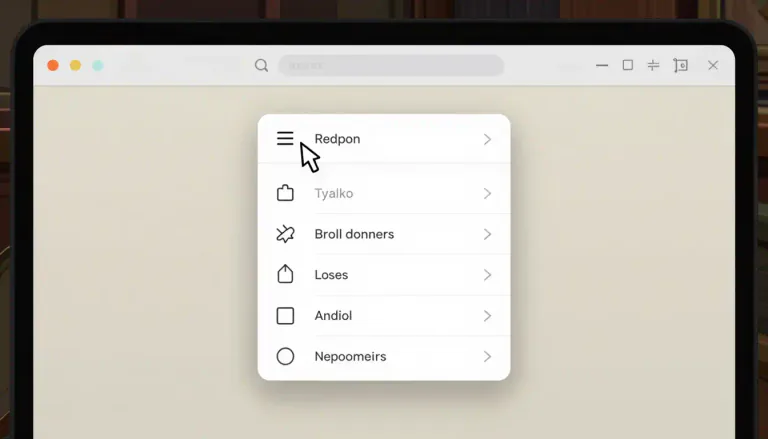
Often appears as...
- dropdown menu
- contextual menu
Usage tips
Formal
menu, navigation, dropdown
noun
In baseball, a flyout occurs when a batter hits the ball into the air and it is caught by a fielder before it touches the ground, resulting in an out.
He hit a flyout, which was easily caught by the left fielder.

Often appears as...
- caught flyout
- baseball out
Usage tips
Neutral
baseball, out, fielder
noun
A flyout is a graphical interface element that appears when a user interacts with a menu or navigation bar, revealing additional options.
When you hover over the 'File' menu, a flyout will display options like 'New', 'Open', and 'Save'.
Often appears as...
- dropdown menu
- contextual menu
Usage tips
Formal
menu, navigation, dropdown
noun
In baseball, a flyout occurs when a batter hits the ball into the air and it is caught by a fielder before it touches the ground, resulting in an out.
He hit a flyout, which was easily caught by the left fielder.
Often appears as...
- caught flyout
- baseball out
Usage tips
Neutral
baseball, out, fielder
Definition 1 of 2
 Pro Tip 1/3
Audience Engagement
Using flyouts can enhance user interaction by providing quick access to options
In user interface design, incorporating engaging visuals is crucial.
Pro Tip 2/3Clarity in Design
Ensure that flyout items are clear and easy to select for better usability
User experience should always be prioritized in design.
Pro Tip 3/3Contextual Relevance
Make sure the content of the flyout is relevant to the context for better comprehension
Use logical grouping of options.
Pro Tip 1/3Audience Engagement
Using flyouts can enhance user interaction by providing quick access to options
In user interface design, incorporating engaging visuals is crucial.
Pro Tip 2/3Clarity in Design
Ensure that flyout items are clear and easy to select for better usability
User experience should always be prioritized in design.
Pro Tip 3/3Contextual Relevance
Make sure the content of the flyout is relevant to the context for better comprehension
Use logical grouping of options.
Pro Tip 1/3Audience Engagement
Using flyouts can enhance user interaction by providing quick access to options
In user interface design, incorporating engaging visuals is crucial.
Pro Tip 2/3Clarity in Design
Ensure that flyout items are clear and easy to select for better usability
User experience should always be prioritized in design.
Pro Tip 3/3Contextual Relevance
Make sure the content of the flyout is relevant to the context for better comprehension
Use logical grouping of options.
Never forget "Flyout"
Humans forget easily. That's why you should download WordUp: Smart reminders, word games, AI practice, and much more!





WordUp Chrome Extension
As you browse the web instantly look up words you don’t know.
Get Chrome Extension