Wysiwyg
noun
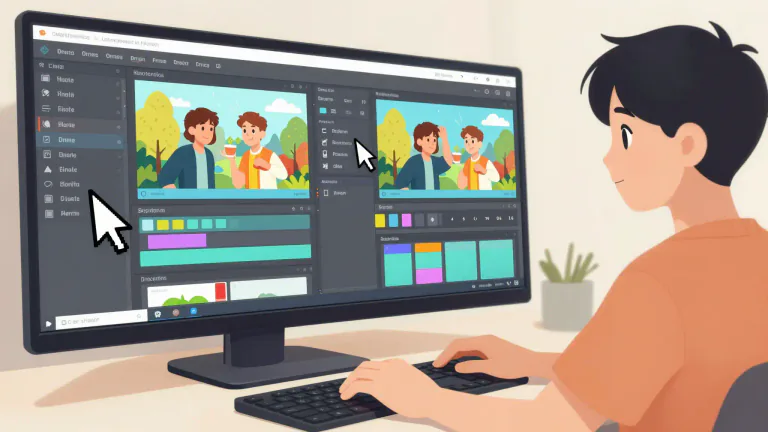
A system or software that displays content to the user in a way that closely resembles the final output.
Web design tools often use a wysiwyg editor so that users can see how their website will look in real time.
Often appears as...
- wysiwyg web editor
- wysiwyg design
Usage tips
Neutral
system, editor, interface
noun
A system or software that displays content to the user in a way that closely resembles the final output.
Web design tools often use a wysiwyg editor so that users can see how their website will look in real time.
Often appears as...
- wysiwyg web editor
- wysiwyg design
Usage tips
Neutral
system, editor, interface
Definition 1 of 1
 Pro Tip 1/3
Understanding Functionality
WYSIWYG software is easy to use because it allows you to edit in a format similar to the final product.
When you use a WYSIWYG editor, you can make changes and instantly see how they impact the overall look and feel.
Pro Tip 2/3Maintaining Consistency
Using a WYSIWYG editor helps maintain a consistent appearance across various platforms.
Whether you are creating a web page or a document, consistency in design can enhance user experience.
Pro Tip 3/3Understanding Limitations
While WYSIWYG editors are convenient, they may not offer all the features needed for advanced editing.
For more complex designs, users might need to switch to a code-based editor.
Pro Tip 1/3Understanding Functionality
WYSIWYG software is easy to use because it allows you to edit in a format similar to the final product.
When you use a WYSIWYG editor, you can make changes and instantly see how they impact the overall look and feel.
Pro Tip 2/3Maintaining Consistency
Using a WYSIWYG editor helps maintain a consistent appearance across various platforms.
Whether you are creating a web page or a document, consistency in design can enhance user experience.
Pro Tip 3/3Understanding Limitations
While WYSIWYG editors are convenient, they may not offer all the features needed for advanced editing.
For more complex designs, users might need to switch to a code-based editor.
Pro Tip 1/3Understanding Functionality
WYSIWYG software is easy to use because it allows you to edit in a format similar to the final product.
When you use a WYSIWYG editor, you can make changes and instantly see how they impact the overall look and feel.
Pro Tip 2/3Maintaining Consistency
Using a WYSIWYG editor helps maintain a consistent appearance across various platforms.
Whether you are creating a web page or a document, consistency in design can enhance user experience.
Pro Tip 3/3Understanding Limitations
While WYSIWYG editors are convenient, they may not offer all the features needed for advanced editing.
For more complex designs, users might need to switch to a code-based editor.
Never forget "Wysiwyg"
Humans forget easily. That's why you should download WordUp: Smart reminders, word games, AI practice, and much more!





WordUp Chrome Extension
As you browse the web instantly look up words you don’t know.
Get Chrome Extension